

What makes the best IPTV service for Firestick in 2026? Look for a large live channel library, native Fire TV Stick support, 4K streaming, and a low-risk trial. Flixprime meets that bar. It offers 17,000+ live channels and 117,000+ movies and series. You also get a free 24-hour trial and a 7-day money-back guarantee. This makes Flixprime a solid benchmark for comparing any IPTV option this year.
What Is the Best IPTV Service for Firestick Right Now?
The best IPTV service for Firestick pairs a deep content library with reliable playback and fair trial terms. IPTV stands for Internet Protocol Television. It delivers TV channels and on-demand content over the internet, instead of satellite or cable. IPTV has become the default way many households watch live TV on Fire TV devices.
Flixprime is a strong example of what a full-featured IPTV service for Firestick looks like in 2026. It runs 17,000+ live channels and 117,000+ movies and series, supports Firestick natively, and streams in HD, FHD, UHD, and 4K.
We evaluated this pick, and the alternatives covered later in this guide, using four criteria. These are channel and content depth, device compatibility, streaming quality, and how forgiving the trial and refund policy is. The next section explains this framework in detail.
| Service | Channels | Starting Price | Trial | Firestick Support |
|---|---|---|---|---|
| Flixprime | 17,000+ | $18/month | Free 24-hour + $8/7-day | Native app |
| firestickhacks.com list pick | 540 | $15.99/month | Free trial | Listed as compatible |
| guru99.com list pick | 30,000+ | $15/month | Free Trial | Listed as compatible |
How We Evaluated IPTV Services for Firestick
We evaluated IPTV services for Firestick using five factors. These matter more than a marketing headline: content depth, compatibility, stream quality, trial fairness, and support speed. Most “best of” lists skip this step. They jump straight to rankings instead.
Channel and content library size
A bigger library matters only if it’s organized well. Flixprime carries 17,000+ live channels and 117,000+ movies and series, spanning sports, news, international channels, and on-demand titles.
Firestick and multi-device compatibility
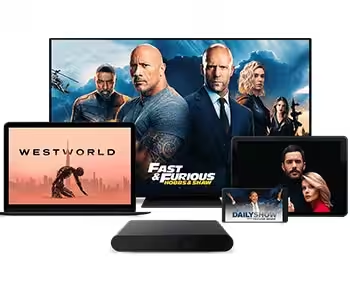
Compatibility should extend beyond one device. Flixprime supports Smart TVs, Firestick, iOS, Android TV, Apple TV, phone, iPhone, tablet, iPad, Roku, and Mag boxes, so one subscription covers a whole household.
Streaming quality and buffering resistance
Streaming quality is judged by resolution options and stability under load. Flixprime streams in HD, FHD, UHD, and 4K, powered by its Anti-Freeze™ Technology, which the platform states is built to reduce buffering during peak events.
Trial length and refund policy
Trial terms show how confident a provider is in its own product. Flixprime offers three options. You get a free 24-hour trial, an $8 7-day trial, or a 7-day money-back guarantee on subscriptions. This gives you a low-commitment way to test the service before paying for a full plan.
Customer support responsiveness
Support responsiveness matters most when something breaks during a live match. Flixprime provides 24/7 human support through email and WhatsApp, which is faster than most ticket-only systems.
Top IPTV Services for Firestick Compared
The top IPTV services for Firestick fall into three categories: full-featured paid IPTV, free legal streaming apps, and IPTV players that display third-party content. Each solves a different problem, so comparing them side by side avoids confusion.
Laws around streaming vary by region, so it’s wise to review local regulations before subscribing. We’ve served 800,000+ users worldwide since 2014, prioritizing transparency and secure checkout. Always choose services that operate openly and support customers directly.
Unverified IPTV providers often vanish overnight, leaving subscribers without support or refunds. We’ve operated since 2014, serving 800,000+ users with secured checkout, a 7-day money-back guarantee, and 24/7 human support—transparency unverified providers rarely offer.
The global IPTV market is projected to grow to USD 66.63 billion in 2026, up from USD 55.71 billion in 2025, according to Mordor Intelligence. (Mordor Intelligence, 2026)
Flixprime: Full-featured IPTV for Firestick
Flixprime is presented here as the writer’s own platform, disclosed upfront, and compared honestly on real attributes below. It has operated since 2014 and now serves 800,000+ users worldwide, with a 4.8-star rating from 2,518 reviews.
Pricing runs on three tiers. Pay $18 for one month, $48 for six months, or $68 for twelve months. Every plan is a one-time payment, not a recurring subscription. Every plan also includes EPG at no extra cost. (EPG stands for Electronic Program Guide. It’s an on-screen TV schedule showing what’s airing now and next.)
Setup takes about one minute using Flixprime’s step-by-step guide, with instant activation and secured checkout. Channels and content update automatically once a week, so the library stays current without manual work.
Other legal free options: Pluto TV, Tubi, Plex
Pluto TV, Tubi, and Plex are free, ad-supported streaming apps available on Firestick. They offer licensed movies, shows, and some live channels, but their libraries are smaller and less sports-focused than a dedicated IPTV service.
These apps work well as a no-cost supplement rather than a full replacement for live TV. None of them match the 17,000+ live channel count found on a dedicated IPTV service built for Firestick.
IPTV players vs. IPTV services: TiviMate and IPTV Smarters explained
An IPTV player is not the same as an IPTV service. A player is just an app that displays a channel list from a source you provide. It doesn’t supply any content itself. TiviMate and IPTV Smarters are examples of players. They need a subscription’s channel list before they can show anything.
Flixprime, by contrast, is the content source: the channels, movies, and series themselves. Some “best of” lists blur this line, listing players and services together as if they’re interchangeable, which confuses new Firestick users.
Kodi falls into the player category too — it’s an open framework that plays whatever content you load into it. Understanding this distinction is the first step to choosing the best IPTV service for Firestick instead of just another app.
| Type | Example | Provides Content? | Typical Cost |
|---|---|---|---|
| Flixprime (IPTV service) | Flixprime | Yes — 17,000+ channels, 117,000+ titles | $18–$68 one-time per plan |
| Free legal app | Pluto TV, Tubi, Plex | Yes — smaller, ad-supported library | Free |
| IPTV player | TiviMate, IPTV Smarters, Kodi | No — displays a source you supply | Free or one-time app fee |
How Do You Set Up an IPTV Service on Firestick?
You set up an IPTV service on Firestick by sideloading the provider’s app through the Downloader app, then signing in with your subscription details. The whole process typically takes a few minutes on a decent connection.
Step-by-step sideloading walkthrough
- On your Firestick home screen, go to Settings, then My Fire TV, then Developer Options.
- Turn on “Apps from Unknown Sources” to allow non-Amazon-store apps.
- Search for and install the free “Downloader” app from the Fire TV app store.
- Open Downloader and enter the IPTV provider’s app URL or code.
- Let the app install, then open it and enter your subscription login or activation code.
- Confirm playback starts and check the EPG loads correctly.
Flixprime follows this same basic pattern with its setup. Setup takes just 1 minute, thanks to a step-by-step guide and instant activation. This is why the process feels quick, even for first-time Firestick users.
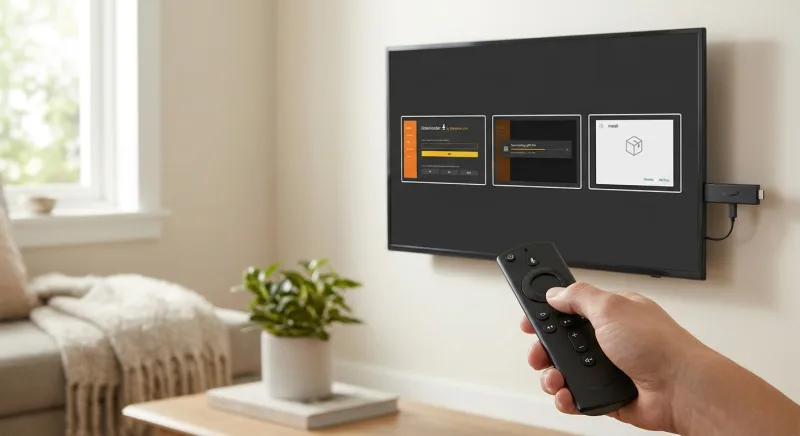
Amazon’s Fire TV Stick remains one of the most widely used streaming devices, making native app compatibility essential for any IPTV provider. We support Firestick directly, alongside Smart TVs, Android TV, Apple TV, Roku, and mobile devices, so switching platforms never limits your access.
Configuring the EPG (Electronic Program Guide)
The EPG loads automatically once you’re logged in, showing a channel grid with current and upcoming programs. Flixprime includes EPG on all subscription tiers, so there’s no separate add-on fee to see what’s playing next.
Testing your connection before you subscribe
Test your connection with a short trial before you commit to a full plan. Flixprime offers a free 24-hour trial or a low-cost $8 7-day trial. Either option lets you check buffering, channel loading speed, and picture quality on your own network first.
Is IPTV Legal to Use on Firestick?
IPTV itself is a legal technology; the legality depends entirely on whether the provider is licensed to distribute the channels and content it offers. Using an IPTV app on Firestick is not automatically illegal — it depends on the source.
What makes an IPTV provider legitimate
A legitimate provider secures rights or licensing agreements to redistribute the channels it carries. In the U.S., cable and IPTV-style redistributors of broadcast television content operate under a compulsory licensing system created by Section 111 of the Copyright Act, which requires them to file periodic statements of account and pay royalty fees to the U.S. Copyright Office in order to legally retransmit copyrighted broadcast programming. (U.S. Copyright Office, 2025).
Signs of legitimacy include transparent company information, secured checkout, published refund policies, and responsive human support — all things worth checking before you commit to any IPTV subscription.
Why licensing and content sourcing matter
Unauthorized re-streaming services often source content without permission from broadcasters, which creates legal exposure for the provider and instability for users, since channels can disappear without notice. In a landmark U.S. federal prosecution, the Department of Justice reported that the copyright infringement in an illegal IPTV streaming case was valued at $37.5 million, with defendants facing federal prison sentences under criminal copyright law. (U.S. Department of Justice, 2025).
Licensed distribution tends to be more stable long-term, since the provider has a legal basis to keep offering the channel. This is one more reason content sourcing matters when picking the best IPTV service for Firestick.
What Causes Buffering on Firestick IPTV Apps — and How Do You Fix It?
Buffering on Firestick IPTV apps is usually caused by limited bandwidth, network congestion, or the device’s own hardware limits. Fixing it means addressing whichever of those three is the bottleneck.
Network and bandwidth factors
Live 4K streams need consistent upload and download speeds from your ISP, not just a high advertised number. A crowded home Wi-Fi network, with multiple devices streaming at once, can throttle an IPTV app even on a fast plan.
Wired Ethernet connections, where possible, tend to be more stable than Wi-Fi for Firestick streaming, especially during high-demand events like live sports.
Device-side limitations on Firestick
Firestick models have limited RAM and processing power compared to a smart TV or streaming box. Running multiple background apps, or an outdated Firestick generation, can cause an IPTV app to stutter even with a strong internet connection.
Clearing app cache and restarting the Firestick periodically helps free up memory for smoother playback.
How anti-buffering technology helps during peak events
Provider-side infrastructure can reduce buffering even when network conditions are imperfect. Flixprime states its service delivers zero buffering during peak events, powered by its Anti-Freeze™ Technology — a first-party feature designed to stabilize streams during high-traffic moments like major matches.
This kind of server-side optimization is one factor worth asking about when comparing the best IPTV service for Firestick options, since it addresses the load side of buffering that your home network alone can’t fix.
What Should You Check Before Paying for an IPTV Service?
Before paying for an IPTV service, check the trial length, refund window, payment structure, and support channels. These four items reduce financial risk more than any channel-count claim.
Trial period and refund window red flags
A provider with no trial and no refund window is a red flag. Flixprime offers a free 24-hour trial, a $8 7-day trial, and a 7-day money-back guarantee on subscriptions, giving buyers two separate ways to test risk-free.
One-time payment vs. auto-renewing subscriptions
Auto-renewing subscriptions can quietly charge your card long after you’ve stopped watching. Flixprime uses one-time payments per plan — $18 for one month, $48 for six months, or $68 for twelve months — with no recurring charge.
Support availability (email, live chat, WhatsApp)
Support availability matters most when a channel drops mid-game. Flixprime provides 24/7 human support through email and WhatsApp, rather than a bot-only chat window with slow escalation.
Flixprime backs every subscriber with 24/7 human support across Email and WhatsApp. No bots, no endless queues—just real people ready to help. That commitment reflects our 4.8-star rating from over 2,518 reviewers who trust our service daily.
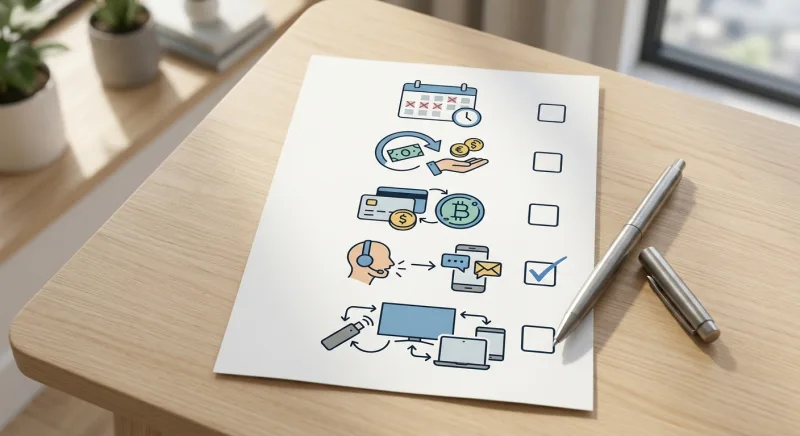
- Trial length: does it exceed 24 hours, or is it a single-day test only?
- Refund window: is there a written money-back guarantee, and how many days does it cover?
- Payment type: one-time payment per plan, or auto-renewing subscription?
- Support channels: email only, or also live chat and WhatsApp with 24/7 coverage?
- Device compatibility: does it list Firestick explicitly, plus your other household devices?
Frequently Asked Questions About IPTV on Firestick
Is IPTV legal to use on a Firestick?
IPTV technology itself is legal; the concern is whether the specific provider has licensing rights to the content it streams. Licensed IPTV services are legitimate, while unauthorized re-streams of copyrighted broadcasts carry legal risk. Rules vary by region, so viewers should confirm their local requirements before subscribing.
Do I need a VPN to use IPTV on Firestick?
A VPN isn’t legally required to use a licensed IPTV service, but some users add one for privacy or to reduce ISP throttling on streaming traffic. It’s a personal preference rather than a mandatory step for a legitimate provider.
How do I install an IPTV app on my Firestick?
You install it by enabling “Apps from Unknown Sources,” sideloading the app through the Downloader tool, and logging in with your subscription. Flixprime’s process is designed to take about one minute using its step-by-step setup guide.
Can I try an IPTV service before paying for a subscription?
Yes — many providers offer a trial period before you commit. Flixprime offers a free 24-hour trial and a $8 7-day trial, letting you test channels, picture quality, and support responsiveness before choosing a full plan.
What’s the difference between an IPTV service and an IPTV player like TiviMate?
An IPTV service, like Flixprime, supplies the actual channels and content library. An IPTV player, like TiviMate, is just the app that displays a source’s channel list — it has no content of its own without a subscription behind it.
Why does my IPTV stream buffer on Firestick during live sports?
Buffering during live sports usually happens because of network congestion, limited Firestick RAM, or server-side overload during peak viewing. Provider-side tools like Flixprime’s Anti-Freeze™ Technology are built to reduce buffering specifically during those high-traffic events.
What should I check before paying for an IPTV subscription?
Check the trial length, refund policy, payment structure, and support availability before paying. A 7-day money-back guarantee, one-time payment, and 24/7 human support — as seen with Flixprime — are practical benchmarks to compare against any provider.
Does the best IPTV service for Firestick support 4K streaming?
Yes, a strong IPTV service for Firestick should support HD, FHD, UHD, and 4K resolutions. Flixprime streams across all four tiers, with Anti-Freeze™ Technology aimed at keeping 4K playback stable during high-demand viewing periods.
More households are dropping cable for streaming, and our own growth reflects it. Since 2014, we’ve grown to serve over 800,000 users worldwide. That steady rise shows real, lasting demand for flexible IPTV alternatives.
Key statistics
- Streaming now accounts for a bigger share of U.S. TV viewing than cable or broadcast, which is why devices like the Fire TV Stick have become the default way to watch live and on-demand content. (Statista, 2025)
References
- Illegal streaming apps used on devices like Firestick can install malware, which is why the FTC has warned consumers to avoid unauthorized pirate streaming apps. — Federal Trade Commission (Consumer Advice) (Federal consumer protection agency alert)
- Operating an unlicensed, for-profit IPTV streaming service is a federal felony under the Protecting Lawful Streaming Act, underscoring the legal risk of unauthorized IPTV providers. — TorrentFreak (Reporting cites the specific U.S. federal statute (18 U.S.C. § 2319C) and a resulting criminal conviction)
- Enforcement actions against illicit IPTV networks have targeted operations with millions of paid subscribers, showing how large the unauthorized IPTV market has become. — TorrentFreak (Independent piracy-industry news outlet reporting on a documented law-enforcement crackdown)
- Streaming has overtaken both cable and broadcast as the largest source of U.S. TV viewership, reinforcing why IPTV-style live-channel services are gaining relevance for cord-cutters. — Statista (Established market and consumer data research firm)